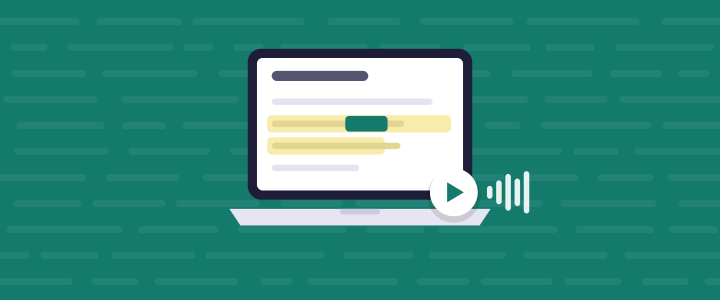
Close the tab in the middle of an article, and the next time you open that page the voice starts on the sentence you stopped at. That is what reading history is for: reading a long thing in sessions without hunting for your place or starting over.
Few people finish a textbook chapter or a forty-page PDF in one sitting. You read some on a break, some on the train, some the next evening. Every return has a small tax: scroll, skim for a familiar paragraph, back up a little to be safe, then start. Six returns across a chapter and you have paid for a page or two of reading you didn’t need.
What it’s for
Three findings make the case. The first is about spacing. A review of 317 experiments on distributed practice (Cepeda and colleagues, 2006) found that spreading learning over separate sessions beats one long block, and that the best gap between sessions grows as the time until the test grows. Four short sessions across a week are, on that evidence, a better way to remember a chapter than one three-hour push. The practical obstacle is that four sessions means four returns.
The second is about what a return costs. Measuring task interruption, Altmann and Trafton (2004) timed the gap between the end of an interruption and the first action back on the main task: 3.8 seconds on average, twice the usual 1.9 seconds between actions, and shorter when a cue showed where the person had been. That was a computer task with interruptions under a minute, not a day away from a document, but the cue that helps is the same: something that shows you exactly where you were.
The third is about the usual way of coping, which is to start the section again. In four experiments with textbook chapters and a magazine article, Callender and McDaniel (2009) found that an immediate second reading did not reliably beat a single reading on multiple-choice, short-answer or summary tests. Rereading the top of a section to find your place is not study. It only feels like it.
None of these studies looked at listening or at any read-aloud tool. What they support is the plan: read in sessions, return to the exact spot, and spend the saved minutes recalling what you heard rather than hearing it twice.
How it works
Hearald keeps the position for each page on your computer. Nothing is sent to a server and there is no account; the voices ship inside the extension and work offline. The steps match version 0.4.10 of the extension (checked November 2026).
- Open a web page, a PDF or a Google Doc and press play. Hearald reads with word-by-word highlighting and marks each section in the player.
- Stop whenever you need to. Pause, close the tab, shut the laptop; there is nothing to mark.
- Later, open the same page and press play. The voice starts on the sentence where you stopped, with the highlight on it, so you see your place as well as hear it.
Mitochondria produce most of a cell’s ATP through oxidative phosphorylation, a chain of reactions that depends on a steady supply of oxygen.
Back the next day: the player resumes on the sentence you left, not the top of the page. - Want a run-up? Use the section marks to jump back to the start of the current section and hear it again from there.
- With the Study Kit, open the reading history to see everything you have finished, and keep what’s next in the reading list, where Play All works through the queue hands-free.
- 1. You stop mid-pagePause or close the tab; no bookmark needed
- 2. Hearald keeps the spotThe sentence is saved on your machine, not a server
- 3. You open the page againTomorrow, next week, on a break
- 4. Playback resumes thereThe highlight lands on the sentence you left
- 5. Note the last section firstWrite what you remember; the check shows which key points you missed before you move on
Questions people ask
Is this free? Remembering your place on each page is part of the free extension. The reading history, the record of everything you have finished, and the reading list with Play All are part of the Study Kit.
Will my place show up on another computer? No. The position lives in your browser on the machine you were reading on, because nothing leaves your computer. On a different computer the page starts from the top.
Can I see the documents I’m partway through and jump back in? Not yet. History shows what you have finished; a library of half-read documents that picks up where you left off across them is on the Study Kit’s later list, not in the extension today. For now the page itself is the way back, so keep long reads in your bookmarks or the reading list.
Try it
If you read anything long in more than one sitting, give it a shot and put it in your browser. Start a chapter today and stop halfway; tomorrow, press play.